 Hearthside
Free beta · Mac & Windows
Study with
other people.
Hearthside gives you a place to study together. Join a classroom, or invite friends over to your home.
Get the free betaFor Mac and Windows PCs.
A home with four study seats.
Your character studies while you do.
There’s room for
your whole study group.
Choose a hall with up to 100 desks. You can join a session even after it has started.
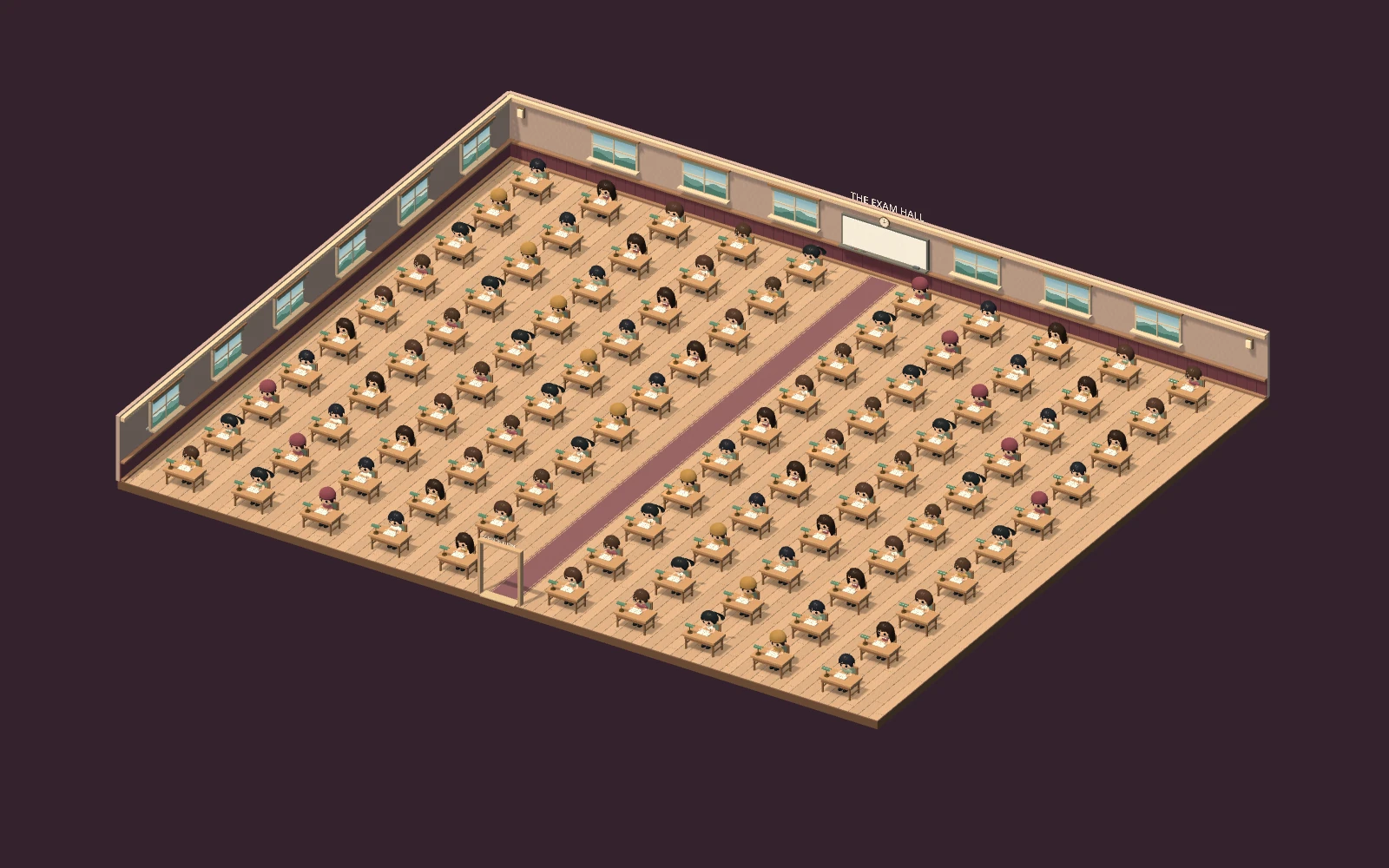
The large exam hall
Sessions run for an hour and start on the hour. Smaller halls are available if you prefer a quieter room.
- Choose from 6, 10, 30, 50 or 100 desks
- Chat in the common room during a break
Staged game capture. Performance with 100 connected players is still being tested.
A look around the game.
Sit down to study.
The timer runs while you’re at a study desk. You can check your sessions in the calendar and remove time you left running by mistake.
Take a break by the fire.
Your study timer pauses here. You can leave the fireplace sound on, or switch it off in settings.
Recorded in the game. These previews have no sound.
Verse · Optional Mac companion
Keep your timer
beside your work.
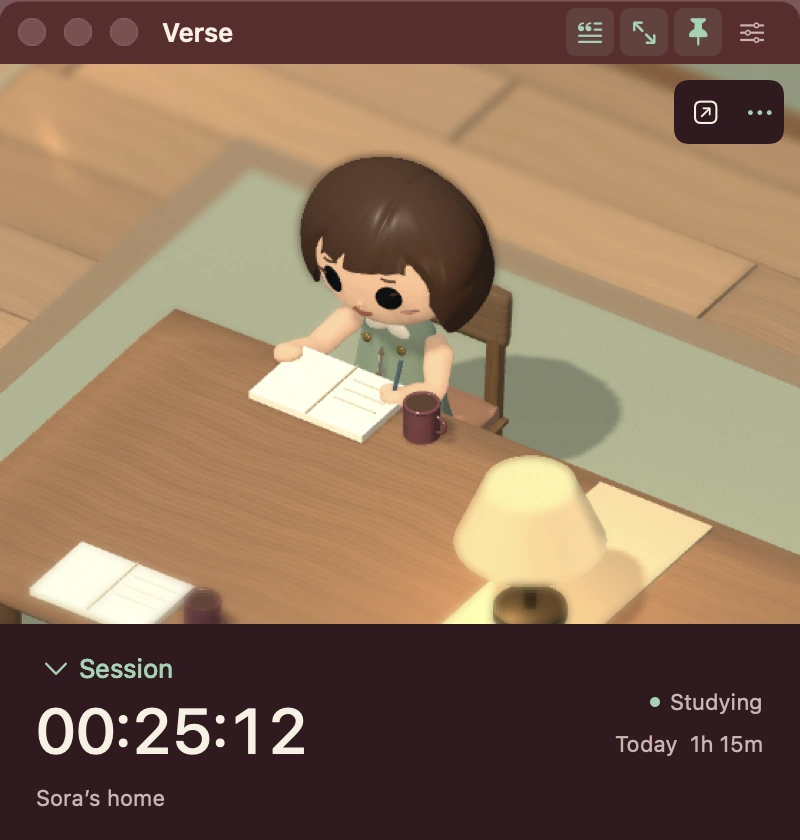
Verse is a separate app included with the Mac beta. It follows what you’re playing on Spotify and finds lyrics for the current song.
Connect it to Hearthside to keep your session timer and a picture of your character at their desk beside your work. Switch between lyrics and the Hearthside terminal in its small floating window.
Verse works on its own for lyrics. You don’t need it to play Hearthside.
Open Lyrics from Hearthside’s menu, then select the home icon in Verse and choose Connect to Hearthside.
The desk picture stays still; the timer updates as you study. Demo session shown.
Try the free beta.
Download Hearthside and try it during your next study session.
Download for MacVersion 0.15.5 · macOS 13 or newer
Tested on Apple Silicon. Intel Macs aren’t validated yet.
Version 0.15.5 · Windows 10/11 · x64
Early Windows build; desktop graphics and audio testing pending. Verse and camera checks are Mac-only.
Report a bug · Please leave out private invitations and personal information.
On your phone? Open this page on your computer to play.
Installing on your Mac
- 1Download and unzip.
Open the ZIP and drag Hearthside Study into Applications.
- 2Open Hearthside.
This early beta isn’t notarized. If macOS blocks it, go to System Settings → Privacy & Security → Open Anyway, after attempting to open it.
- 3Choose your place.
Enter your home for a quiet start, or pick an exam hall to study with company. No extra game tools or Tailscale needed.
Installing on Windows
Download the Windows ZIP, right-click it and choose Extract All. Keep the extracted folder together and open Hearthside Study.exe inside it. No Godot or Node installation is needed.
This early build is unsigned. If Windows shows an unrecognized-app warning, verify that the ZIP came from this release before choosing More info → Run anyway. Don’t bypass a malware warning.
Only use the download linked here. Don’t disable your Mac’s security settings. If you see a malware or “damaged” warning, stop instead of bypassing it.
About the beta
Is Hearthside free?
The current beta is free. A paid Steam release is the longer-term plan; pricing and a release date haven’t been set.
How do I study with a friend?
Enter your home, open the menu, and use the visitors/invitation options to create a link. Your friend joins through that invitation. Keep Hearthside and your internet connection on while they visit. Persistent friend requests and a friends list are planned, but aren’t in this beta yet.
Does it use my camera?
Camera checks are optional and off by default. If you choose to enable them, the images are processed locally on your Mac. The feature is experimental and can be wrong; you can study without using it.
Does it work on Windows or my phone?
There are Mac and Windows x64 builds. Windows is an early port; Verse and camera checks currently need a Mac. A mobile release isn’t available yet.
What should I know about the beta?
You may run into bugs, interruptions, and performance issues, especially in larger rooms. Study history is saved locally, not synced to an account. You can mute or block players during a visit. The main halls have operator controls, but they are not watched continuously. Names are not verified accounts. Avoid sharing personal information in chat.